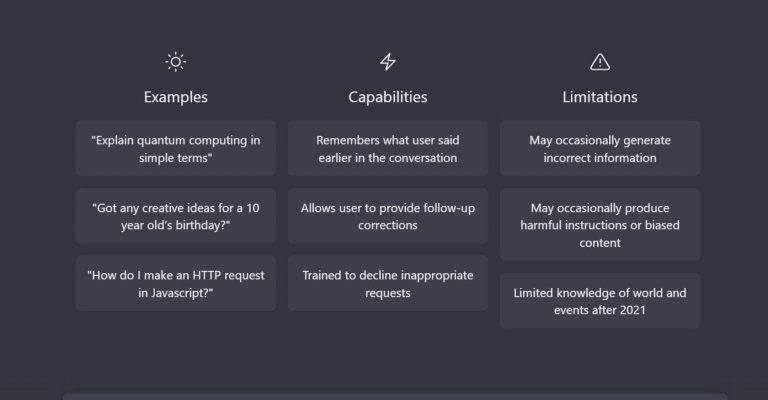
Step 1: Familiarize Yourself with ChatGPT ChatGPT is an AI-powered language model developed by OpenAI. It uses advanced natural language processing techniques to generate human-like responses. It can be an invaluable tool for a variety of applications, including conversation generation, content creation, research assistance, and more.
Step 2: Choose a ChatGPT Interface OpenAI provides various ways to interact with ChatGPT. You can choose from: a) OpenAI Playground: Visit the OpenAI Playground (https://play.openai.com/) to access ChatGPT directly in your web browser. This user-friendly interface allows you to type in prompts and view the model’s responses in real-time. b) OpenAI API: If you’re a developer, you can integrate ChatGPT into your own applications using the OpenAI API. Check out the OpenAI API documentation (https://docs.openai.com/) to learn how to make API calls and handle responses programmatically.
Step 3: Experiment with Prompts Once you’ve chosen your preferred interface, start experimenting with prompts. Prompts are the messages or questions you provide to ChatGPT to initiate a conversation. Keep in mind the following tips: a) Be specific: Clearly state your intention or the context of the conversation to get more accurate responses. b) Set the tone: Specify the desired style or tone of the generated text. For example, you can instruct ChatGPT to write in a professional or casual manner. c) Iterate and refine: If the initial response is not what you expected, you can iterate by modifying the prompt or giving additional instructions to guide ChatGPT towards the desired outcome.
Step 4: Leverage System Prompts and User Instructions In addition to user prompts, you can utilize system prompts and user instructions to achieve better results. System prompts are pre-defined messages that help set the behavior of the model. For example, you can use a system prompt like “You are a knowledgeable assistant” to enhance the accuracy of responses. User instructions are explicit guidelines you provide to ChatGPT within the prompt itself. You can specify the format, ask for pros and cons, or request creative suggestions. This helps guide ChatGPT in generating more relevant and valuable responses.
Step 5: Experiment and Iterate ChatGPT’s performance can vary depending on the prompt, context, and instructions provided. It’s important to experiment, iterate, and refine your prompts to achieve the desired outcomes. You can fine-tune your prompts by adjusting the wording, asking specific questions, or using different conversation structures.
Step 6: Exercise Caution and Review Outputs While ChatGPT is an impressive language model, it’s essential to exercise caution when relying on its responses. Always review and verify the generated content for accuracy, fact-checking, and adherence to ethical guidelines. Remember, ChatGPT is a tool that assists humans and should be used judiciously.
Conclusion: With this tutorial, you’re equipped to start exploring the capabilities of ChatGPT. Whether you’re looking to engage in conversations, generate content, or seek research assistance, ChatGPT can be a powerful ally. By experimenting, iterating, and refining your prompts, you can unlock the full potential of ChatGPT and leverage its capabilities to meet your specific needs.