
Roxhill Media is available to Cognito employees in the United Kingdom. It’s a media intelligence platform providing access to important information on journalists and publications enabling journalist connections, providing new media request alerts, and ultimately helping simplify your PR outreach process.
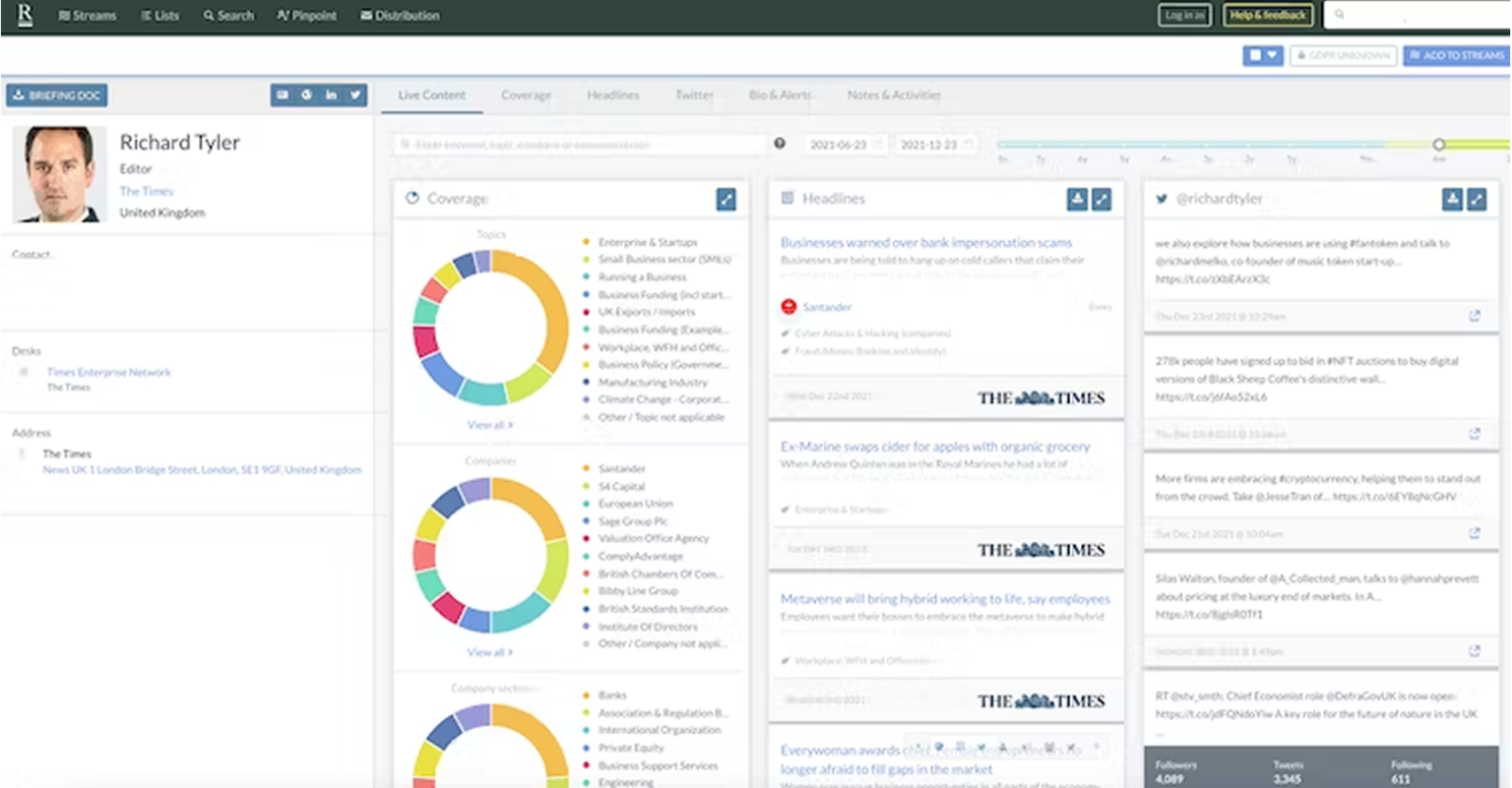
Roxhill is the UK’s leading media intelligence platform.
Category: Journalist Database
Office Locations: London
Roxhill Overview
- June 15, 2023
- 8:24 pm
- Brian Smith
Experts:
Olivia Newcombe - [email protected]
Tom Southgate - [email protected]
Support and Training:
TBD - awaiting Tom Macginnis’ response
How to get access:
Please contact Louis to gain access to Roxhill Media - [email protected].
Roxhill Features
Quick search function: Using the quick search tool in the top right, you can find known journalists, publications, desks, companies, or emails for your PR campaigns.
Full search function: Using the search page in the Navbar, you can find journalists, outlets, articles, and more, by using the options on the left, then filtering each search to find what you need for your use case.
Journalist profiles: Journalist profiles provide useful information, such as their email address, social media accounts, publications, job title, coverage, recent headlines, interests, and more. The profiles are helpful when identifying if a journalist is right for your client, sector, and/or campaign. You also have access to colleagues in their publications and peers in the industry.
Outlet profiles: Outlet profiles contain a list of all journalists at that publication organised by desk, bureau, and more. You can use the filter functionality on the left to filter down the list of journalists to those of interest.
Journalist lists: If you want to reach out to more than one journalist, or you are compiling a group of journalists who write about a specific topic, you may want to add them to a list. You can create new lists or add journalists to existing lists created by you or your peers by selecting “add to list” on a journalist's profile. Your list will then be found in the lists tool on the platform. Your target journalists can be exported to a spreadsheet once you've compiled and saved the list.
Media Requests: You can find media requests in the Navbar. You can see which publications and journalists are requesting information, the deadlines, the information and who they would like to connect with. You can then reach out to the contact on the media request.
Streams: Roxhill shares journalist moves, promotions, events and more in their streams tool. There is also search functionality allowing you to search for the news you want.
Streams alert: Create your own email alerts of journalist moves and more by clicking the “+” sign in the top left of streams. You can then receive an email newsletter dependent on your needs via email however many times a week you prefer and at the time that makes sense for you.
Pinpoint: Search trends using keywords in their pinpoint tool using the search functionality in the top left of Pinpoint. You will then be shown a graph of how many times this keyword has been mentioned in the media. You can click on a specific day within the graph to see the headlines associated with that keyword.
What are the guidelines for use of this tool:
- Rejecting/Blocking a Journalist: If a journalist explicitly refuses to be contacted, please blocklist them in Roxhill by selecting the lock icon in the top right of their profile, clicking rejected, and leaving a detailed note so everyone on the team understands the reason for the rejection. As a result, no team member will accidentally contact them.
- Updating Lists: When using Roxhill, make sure your lists are up-to-date. Unfortunately, Roxhill does not provide an easy way to do this. Regularly check your lists to ensure journalists have been removed if they move publications or sectors and are no longer relevant.
- Pinpoint: Please note that Roxhill manually upload news onto their platform. Therefore, please note that the pinpoint tool graphs do not fully represent the news landscape trends, but provide a good idea of trends - we recommend using a media monitoring tool in this situation.
Roxhill Resource Hub
There are no resources yet.
Roxhill Case Studies
There are no case studies yet.
Roxhill Reviews & Highlights
There are no reviews yet. Be the first one to write one.
Submit your Roxhill Review or Highlights
You must be logged in to submit a review.