
Brandwatch is an AI-driven social media listening platform available to Cognito employees globally. It provides the ability to conduct market research, track brand health, understand the competitor share of voice, monitor social media trends, and view global insights. This enables marketers and PR professionals to respond in times of crisis, plan for the future, build in depth digital audits, and more.
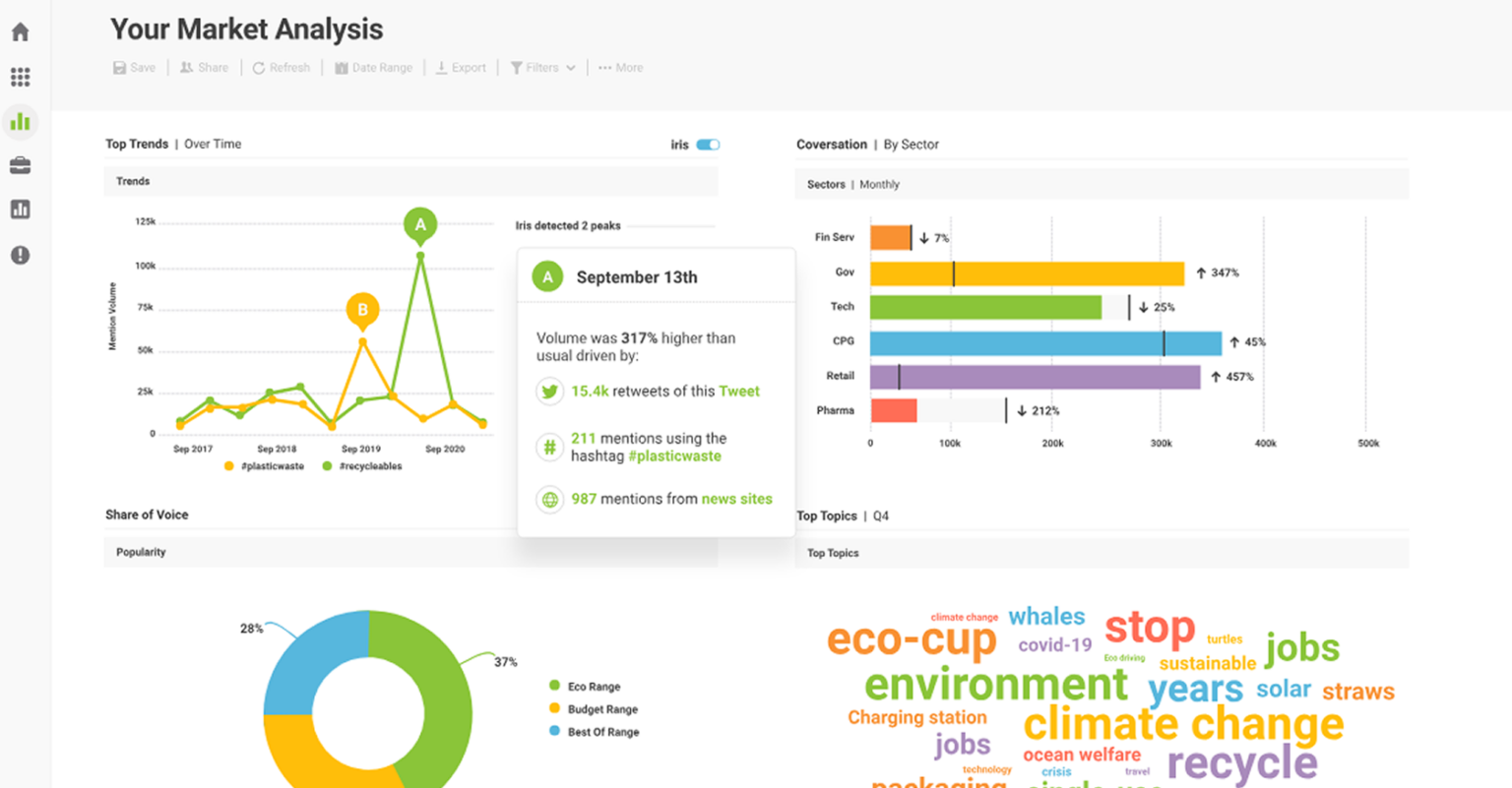
Brandwatch is New York, London, Hong Kong and Amsterdam’s leading social media listening and market research tool.
Features: API
Office Locations: London, New York
Brandwatch Overview
- June 15, 2023
- 3:12 pm
- Brian Smith
Experts:
Jade (New York) - [email protected]
Avni (Europe) - [email protected]
Janet (APAC) - [email protected]
Hannah Porritt - [email protected]
Support and Training:
Reach out to Jade for training on Brandwatch.
How to get access:
Please contact Jade Bestley.
Brandwatch Features
Our team primarily uses Brandwatch's Consumer research tool. Please contact Tim if you need access to a different tool in Brandwatch. You will find information about the features of Brandwatch's Consumer Research tool in the following sections.
AI Powered quick search: Discover insights into a brand, person, or topic with the quick search tool. If you type in a well-known brand, person, or topic, the name may appear in the drop-down menu. This means that a dashboard has already been created for you. Please type in the "name" in quotation marks if it does not appear in the drop down box, as this will help you to use this search functionality and produce better results; however, be aware that data may still be incorrect.
The line graph in your search results allows you to track social media mentions. Additionally, you can edit the date range of all search types. You can also view the exact mentions on the right hand side by clicking on the dots for the day you're interested in.
Filters in quick search: In order to focus on particular news outlets or social media platforms, you can use the filtering tool on the top right hand corner. You can also filter by sentiment to focus more specifically on the sentiment of the mention so that you both see what to exemplify in your communications or for crisis management purposes.
Blank Query: Using Brandwatch queries, you can tell it exactly what you want to see from the brand name and/or any specific keywords or phrases, and you can exclude anything unrelated. However, when you first start using Brandwatch we recommend using simply brand query or query wizard below.
Simple Brand Query: Choose a simple brand query for a pre-set query. You can use these as templates for your blank queries as they show you what you need to include - you just need to fill out the information specific to your query. After you have set up your query, you can use it to see the same search view described above in AI powered quick search. If you are satisfied with your query, you can then use it to create a dashboard.
Query Wizard: Through the query wizard, you can create a simple search by following their step-by-step guide. This query functionality provides a more simple text, drop-down and select form to build your query. You will include brand name, brand nickname, products you wish to track, hashtags, and more. After you have set up your query, you can use it to see the same search view described above in AI powered quick search. If you are satisfied with your query, you can then use it to create a dashboard.
Dashboards: In this dashboard, you can learn who is looking at your brand, talking about it, how they are talking about it, and more about it. It shows you how often a topic or brand is mentioned, where it is mentioned, which influencers are mentioning it, the sentiment, emotions, etc. Dashboards offer a variety of tools to help you research your topic, brand or person of interest, from topic wheels to word clouds to demographic information. You are also able to export the data, words clouds and more to include in brand audits, reports etc.
What are the guidelines for use of this tool:
- Quick search tool issues: When searching for smaller known brands, people or topics, or for keywords/brands whose letters are part of multiple other words be mindful that your search may pick these up. Always check the data.
- Creating Dashboards and projects: When you create a query, dashboard or a project it uses up credits as part of our overall licence. If your dashboard or project is being used it needs to either be relevant and ongoing for clients as agreed with Jade, or once your research has been done it needs to be paused or stopped.
- Query phrasing: You need to be very specific about the key phrases and terms that you include within your queries. If you create a query and you don’t have the specific phrasing specified in your query, you can risk pulling in information that is unrelated.
- Checking your results: You need to make sure your data is as accurate as possible. Ensure that all data you pull is related to the topic, person or brand you are researching before sending a report to a client or analysing your data. If you spot any content that isn’t relevant to your research, then please exclude it.
Brandwatch Resource Hub
There are no resources yet.
Brandwatch Case Studies
There are no case studies yet.
Brandwatch Reviews & Highlights
There are no reviews yet. Be the first one to write one.
Submit your Brandwatch Review or Highlights
You must be logged in to submit a review.